
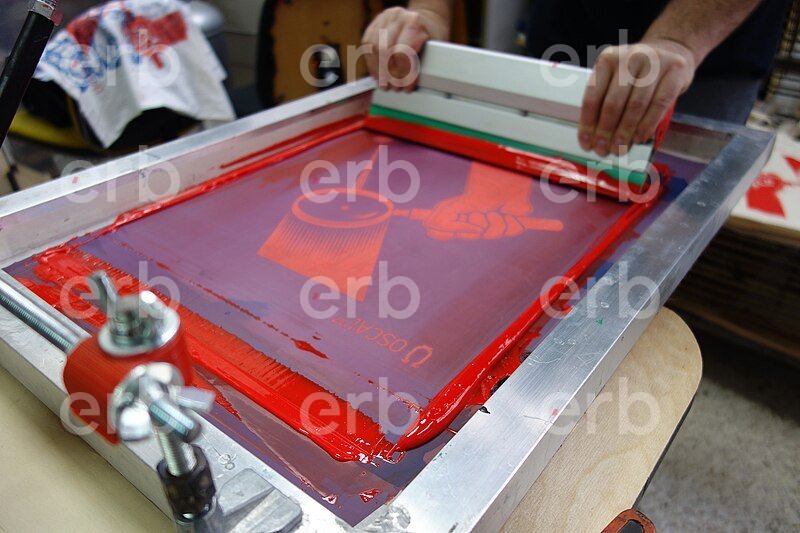
Learn how to address screen clogging in screen printing with key insights and effective solutions to improve print quality.
Unraveling Screen Printing Clogging Challenges
Screen printing is a popular technique in the printing industry, yet it often faces a significant challenge: screen clogging. This issue obstructs the flow of ink through the screen, leading to compromised print quality. In this article, we will delve into the underlying causes of screen clogging, effective solutions, and best practices for maintaining optimal printing conditions.
Key Causes of Screen Clogging:- Ink Viscosity: Using inks with high viscosity can severely impact the printing process.
- Particle Size: The presence of large particles within the ink can cause blockages in the screen.
- Temperature Conditions: Cooler temperatures can decrease ink fluidity, resulting in clogs.
- Ink Drying: Dried ink on the screen forms a film, obstructing mesh openings.
These factors can individually or collectively lead to screen clogging during the printing process. However, various strategies can effectively address and mitigate this issue.
Understanding the Screen Printing Process
In screen printing, ink is forced through the screen onto the substrate. When the ink's viscosity increases, the mesh openings can become obstructed, significantly affecting print quality. This problem is particularly pronounced when using evaporative inks, making it essential to select the right ink and solvent.
Effective Solutions for Clogging:- Selecting the Appropriate Ink: In colder months, opt for fast-drying inks, while slow-drying inks are better suited for warmer temperatures. For transitional seasons like spring and fall, inks with moderate drying rates are advisable.
- Controlling Environmental Factors: Maintain proper ventilation, temperature, and humidity in the workspace, as these elements greatly influence ink drying and screen performance.
- Monitoring Particle Size: During ink formulation, keeping an eye on particle size can help prevent the introduction of large particles that contribute to clogging.
- Ink Consumption Management: In larger print areas, higher ink usage can reduce clogging risks. Conversely, in smaller areas, ink may stagnate, increasing viscosity and the likelihood of clogs.
- Benefits:
- Ideal for high-volume production runs.
- Enables detailed and vibrant prints.
- Offers a variety of ink options suitable for various substrates.
- Drawbacks:
- Screen clogging can significantly hinder production efficiency.
- Inadequate ink selection can lead to subpar print quality.
- The cleaning process can be labor-intensive and time-consuming.
- Q: How frequently does screen clogging happen?
A: The occurrence of screen clogging varies based on ink viscosity and type. - Q: What criteria should guide ink selection?
A: Choose inks based on the ambient temperature and the dimensions of the print area. - Q: What is the best way to clean the screen?
A: Use appropriate cleaning solutions and ensure the screen is properly dried after cleaning.
In summary, screen clogging is a prevalent issue in the screen printing process, caused by multiple factors. However, by making informed ink choices and maintaining conducive working conditions, this challenge can be effectively minimized. With the right precautions in place, screen printing can be performed efficiently, ensuring high-quality results.